


















Try one:
Every result below comes from the live AskAgento API running on a real demo WooCommerce shop. No mockups and no canned answers. This is exactly what your customers get.
Type like a human, not like a database. Vector search understands meaning, so no keywords are required.
Runs on the demo shop catalogue. Your store gets the same engine on your products.
Drop any product photo. The same unified data layer that powers text search also sees images.
Upload a photo
Drag & drop a product photo
search starts automatically
…or try a sample
Runs on the demo shop catalogue only.
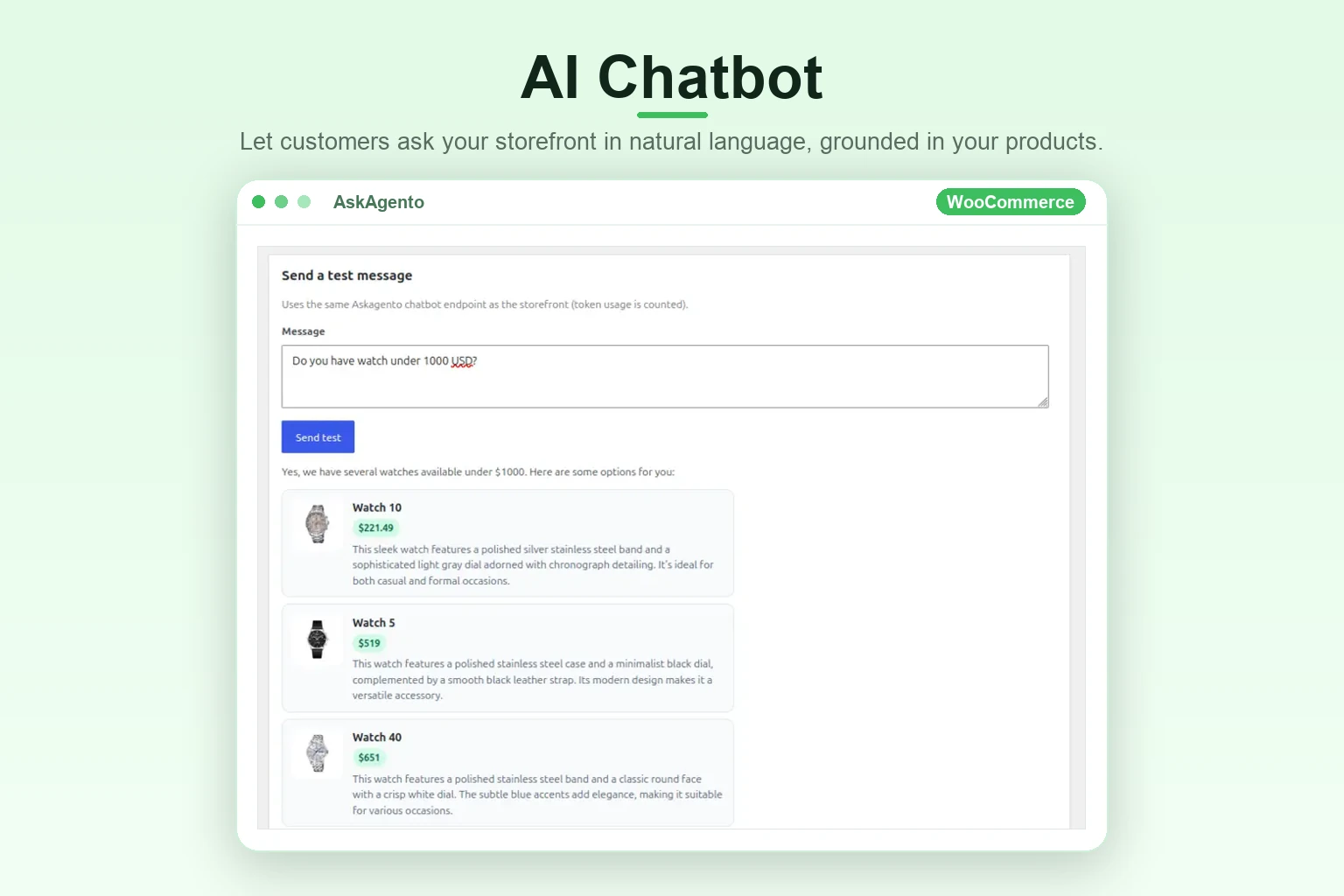
Ask about products, prices, pairings. Replies are grounded in the synced catalogue, so nothing is hallucinated.
Chat uses the demo shop product catalogue only.
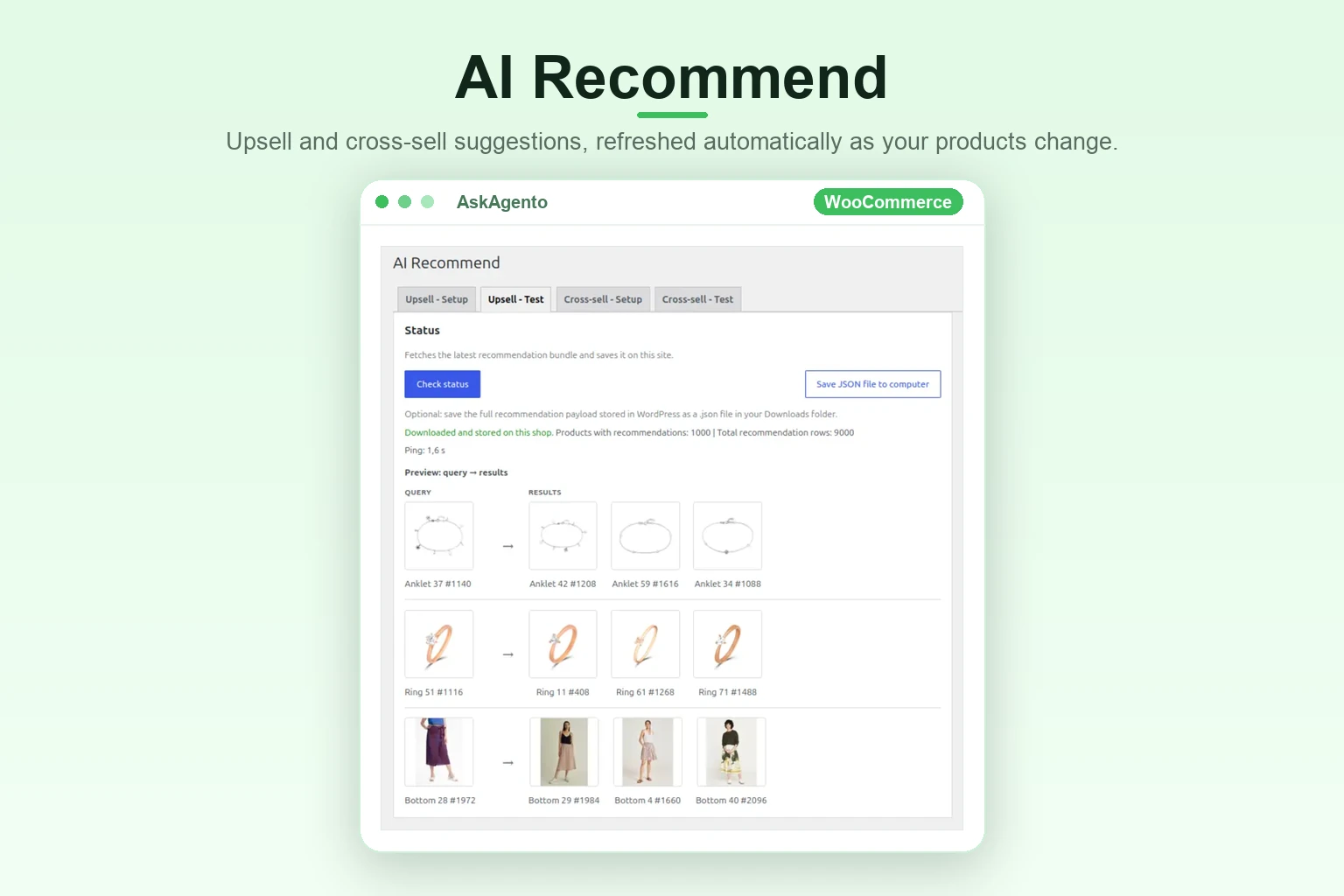
Upsell and cross-sell pairs are precomputed from the catalogue. They are ready the moment your sync finishes.
Loading catalogue…
Recommendations use the demo shop.
AskAgento is live in the ChatGPT app directory. Each button opens ChatGPT with a ready-made prompt, and ChatGPT answers from the demo shop’s catalogue with prices and links straight to the product pages. For the most reliable results, add AskAgento once in ChatGPT under Plugins (search “AskAgento”, then +).
Details, materials and who it suits.
Ask ChatGPT about Watch 4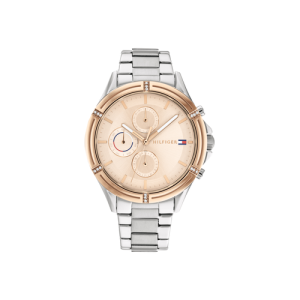
Side by side, with the differences that matter.
Compare in ChatGPT
Alternatives from the same shop.
Find similar in ChatGPTYour shop gets the same buttons: in the plugin, turn on Settings → ChatGPT Connection and place each prompt with its shortcode.
No API keys, no prompt engineering, no vector databases to babysit. Vector search runs LLM-free by default.
Standard WordPress install. Connect WooCommerce and finish cloud onboarding in a couple of clicks.
Products and images flow into the unified data layer. It becomes one shared brain for search, chat, recommendations and agents.
AI search, recommendations and filters switch on in your storefront. Chatbot and agents are one toggle away.
Everything your shop needs to help customers find the right product. On every plan, including Free, bring your own LLM key (BYOK) at no extra cost.
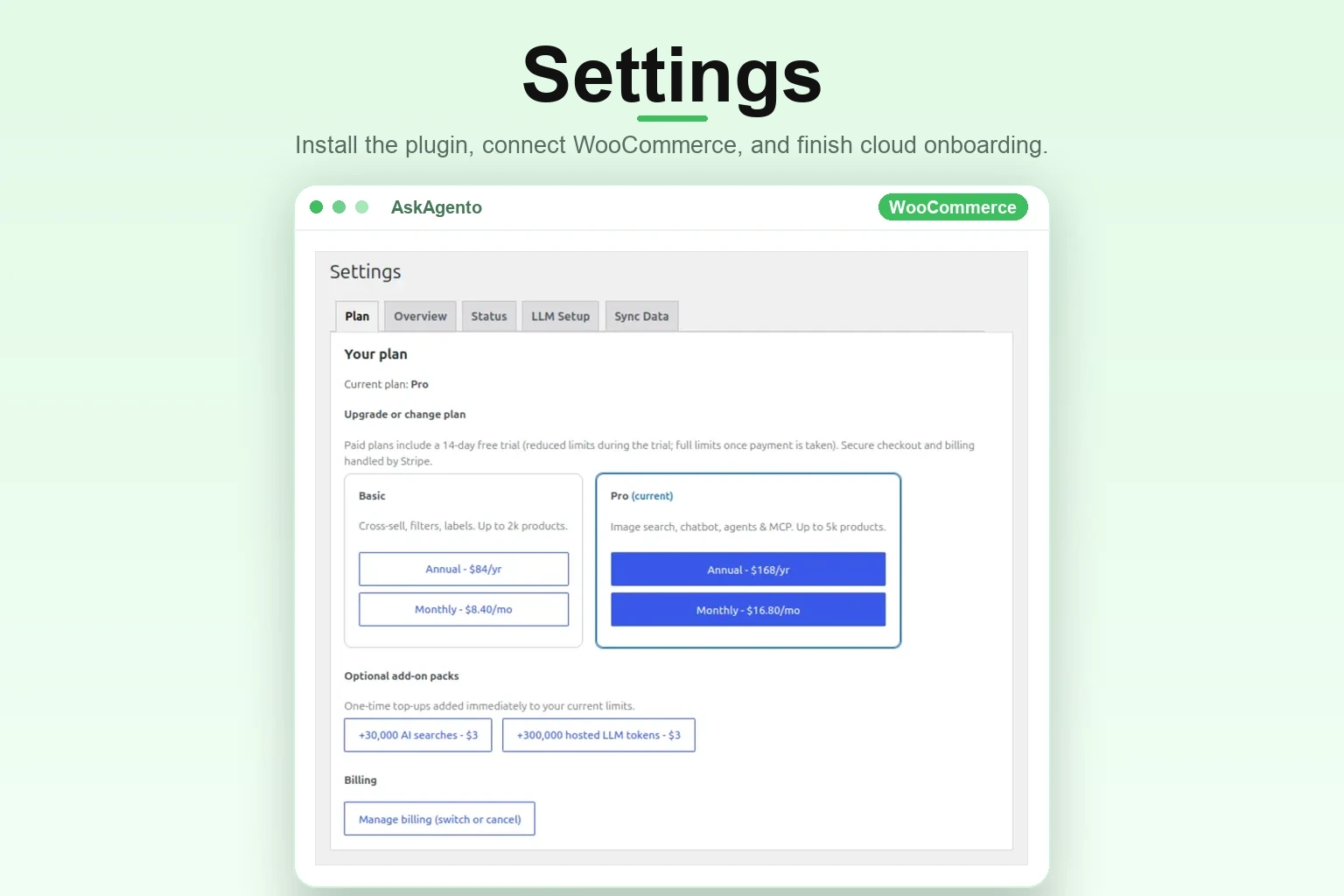
Install the AskAgento plugin in WordPress, connect WooCommerce, and finish cloud onboarding so your catalogue syncs to the unified layer.
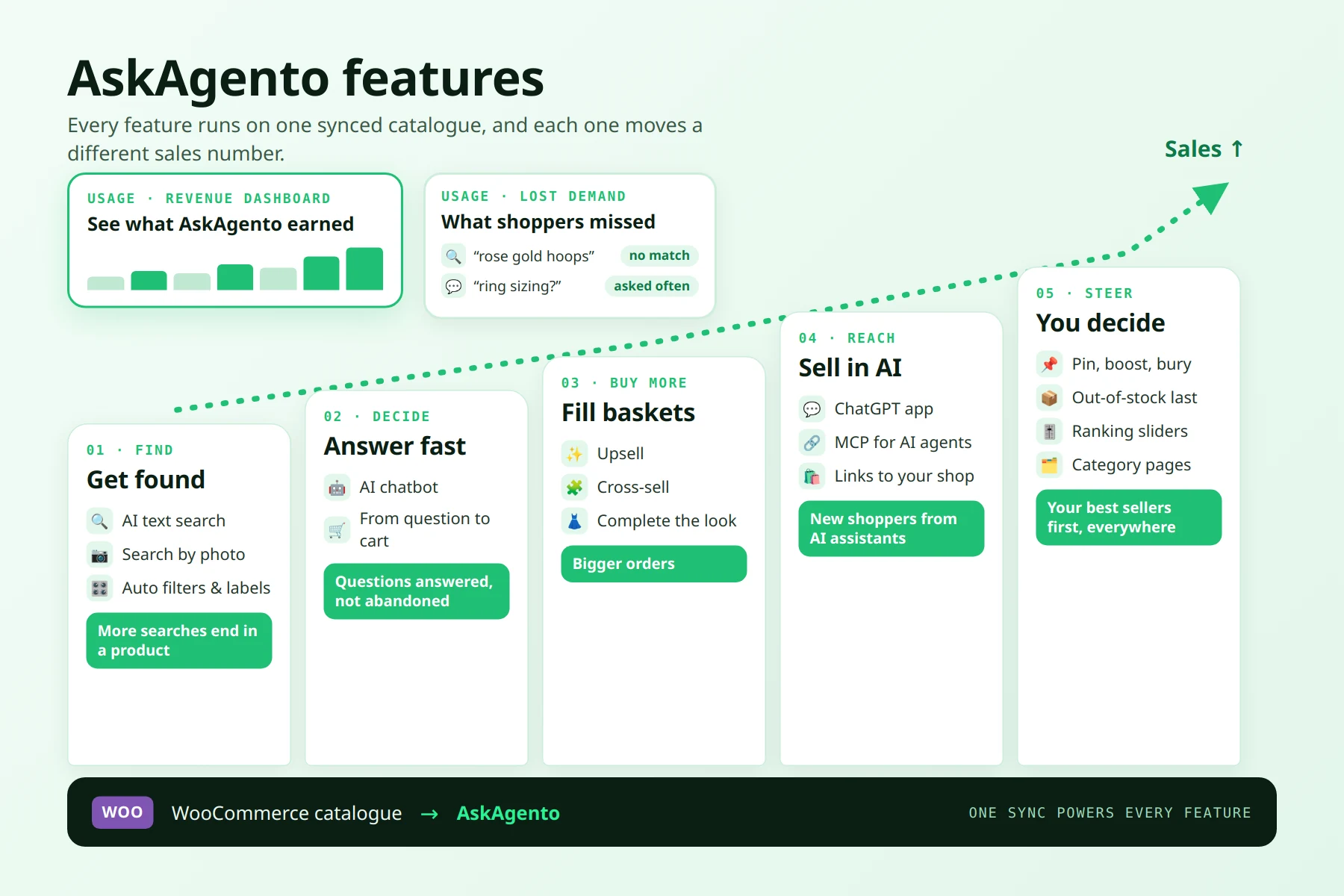
Every feature works on one synced WooCommerce catalogue, and each one moves a different sales number. AI search and filters help shoppers find products, the chatbot answers before they leave, recommendations fill baskets, ChatGPT and AI agents bring new shoppers, and merchandising puts your best sellers first everywhere. The Usage screen shows the revenue it all brought in, and what shoppers looked for but could not find.
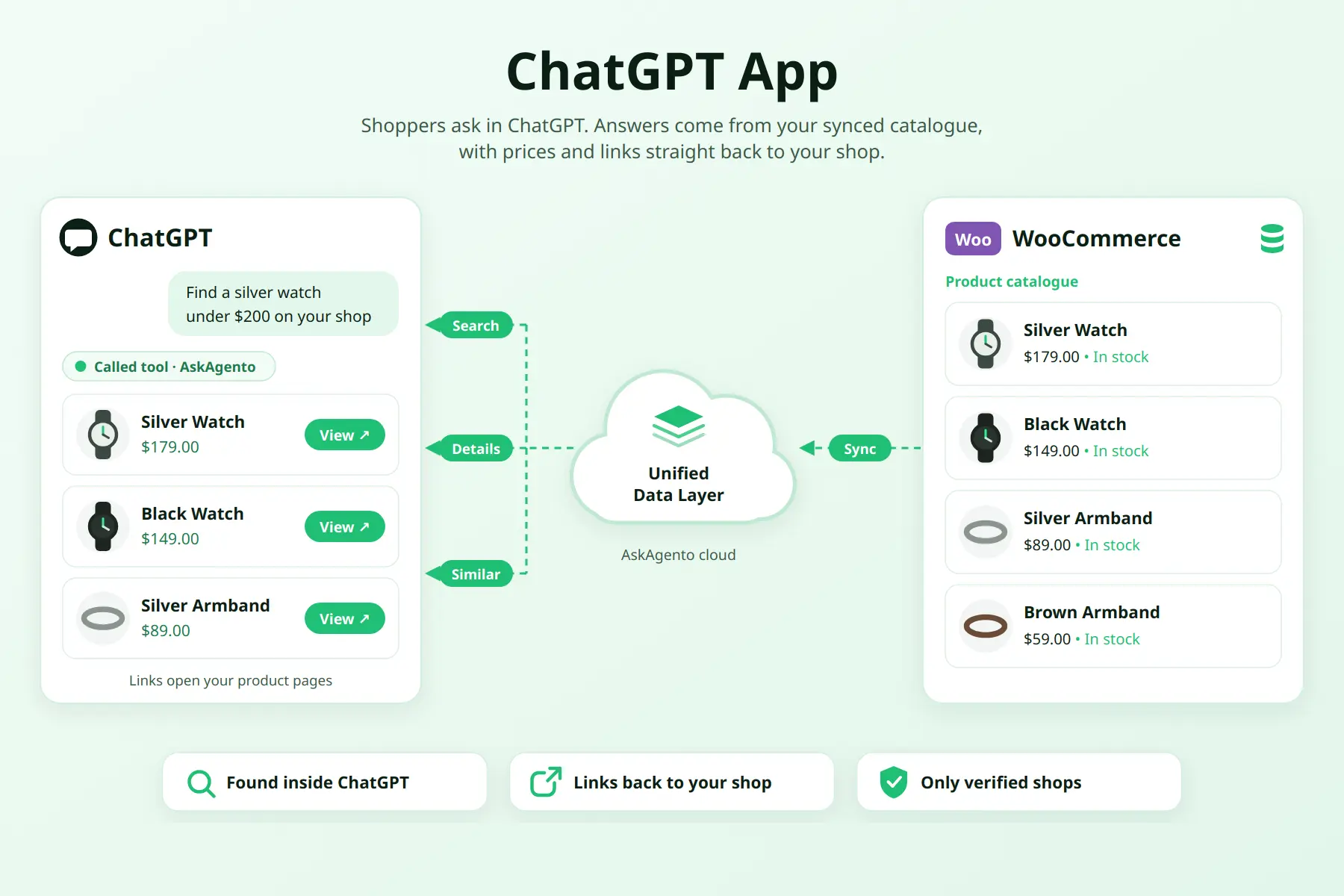
Your shop, inside ChatGPT. Switch on “List in ChatGPT” in the plugin and shoppers can search your catalogue, ask about a product, compare items and find similar ones right in ChatGPT. Answers come from the same unified data layer as your storefront, with prices, stock and links straight to your product pages.
Only shops that verify their domain are listed. Searches from ChatGPT don’t use your plan’s search allowance, and prompt buttons like “Ask ChatGPT about this product” go anywhere on your site with a shortcode.
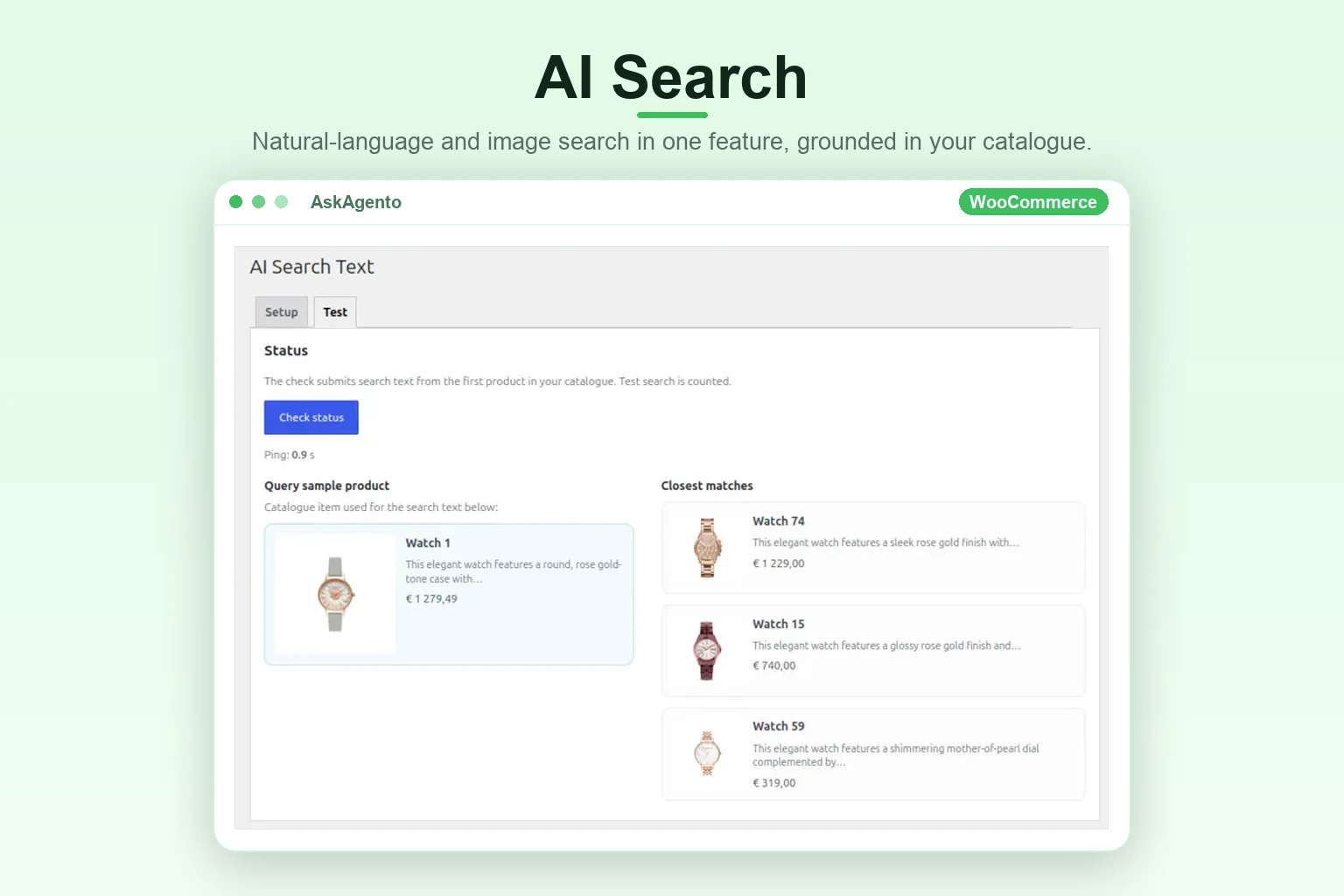
Natural-language and image-based product search in one feature, grounded in your synced catalogue. Text queries find products from conversational descriptions; image queries retrieve visually similar items. Everything runs against the same product brain. Merchandising rules let you pin, boost or bury products for chosen searches and categories, push out-of-stock items down and blend in popularity, ratings, sales and newness. The same rules shape search, your category pages, the chatbot and AI agents.
Let customers ask your storefront in natural language. AskAgento maintains a search index and retrieves relevant products for the model, so replies stay grounded in what you sell while token use stays low. Your merchandising rules decide which products it suggests first, and out-of-stock items go last.
Upsell and cross-sell suggestions are generated from your synced catalogue. They are available immediately after install and refreshed automatically as your products change.
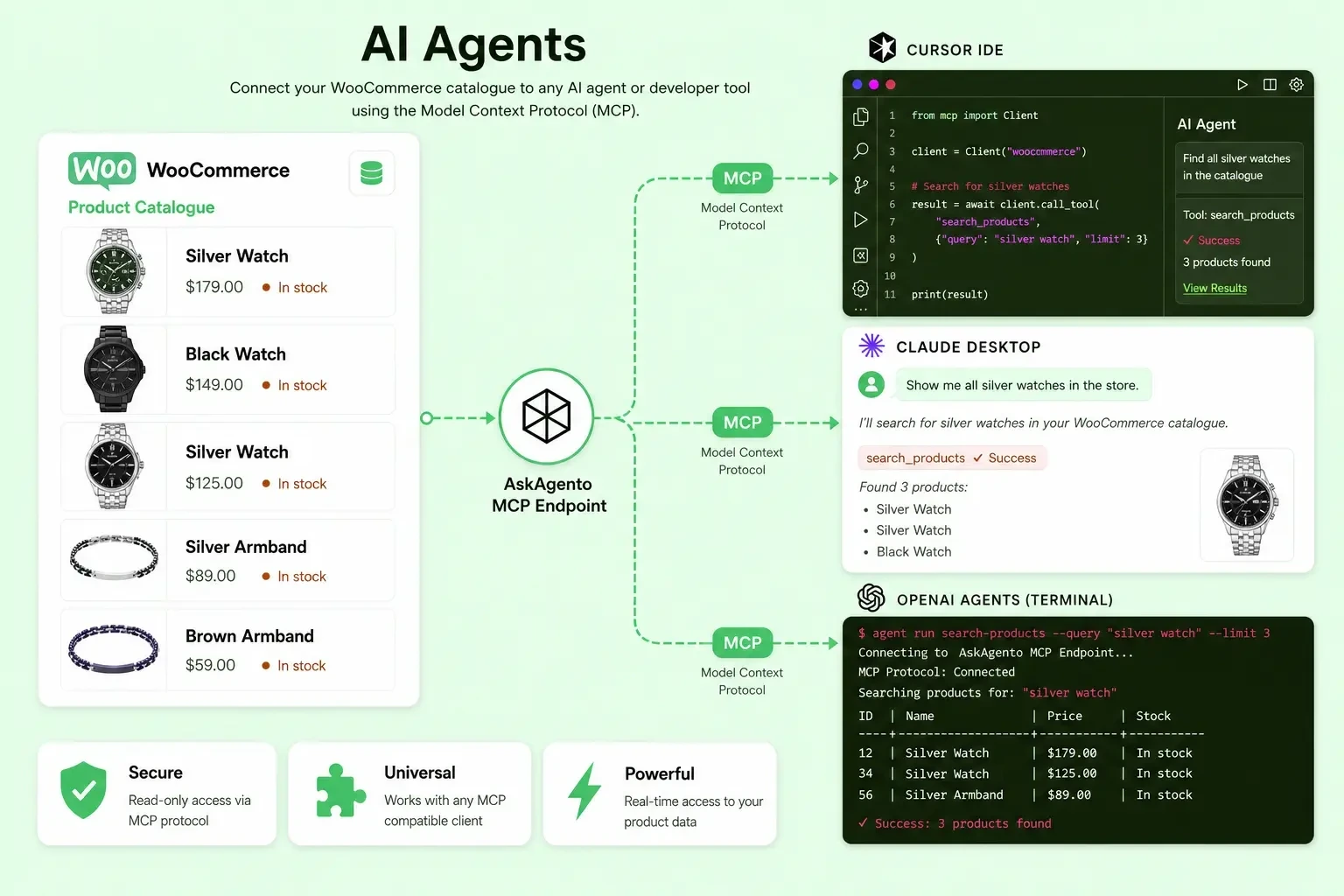
Advanced automation options for your shop. Connect your catalogue to Cursor, Claude Desktop and OpenAI through MCP tools. Agents see products in the order your merchandising rules set.
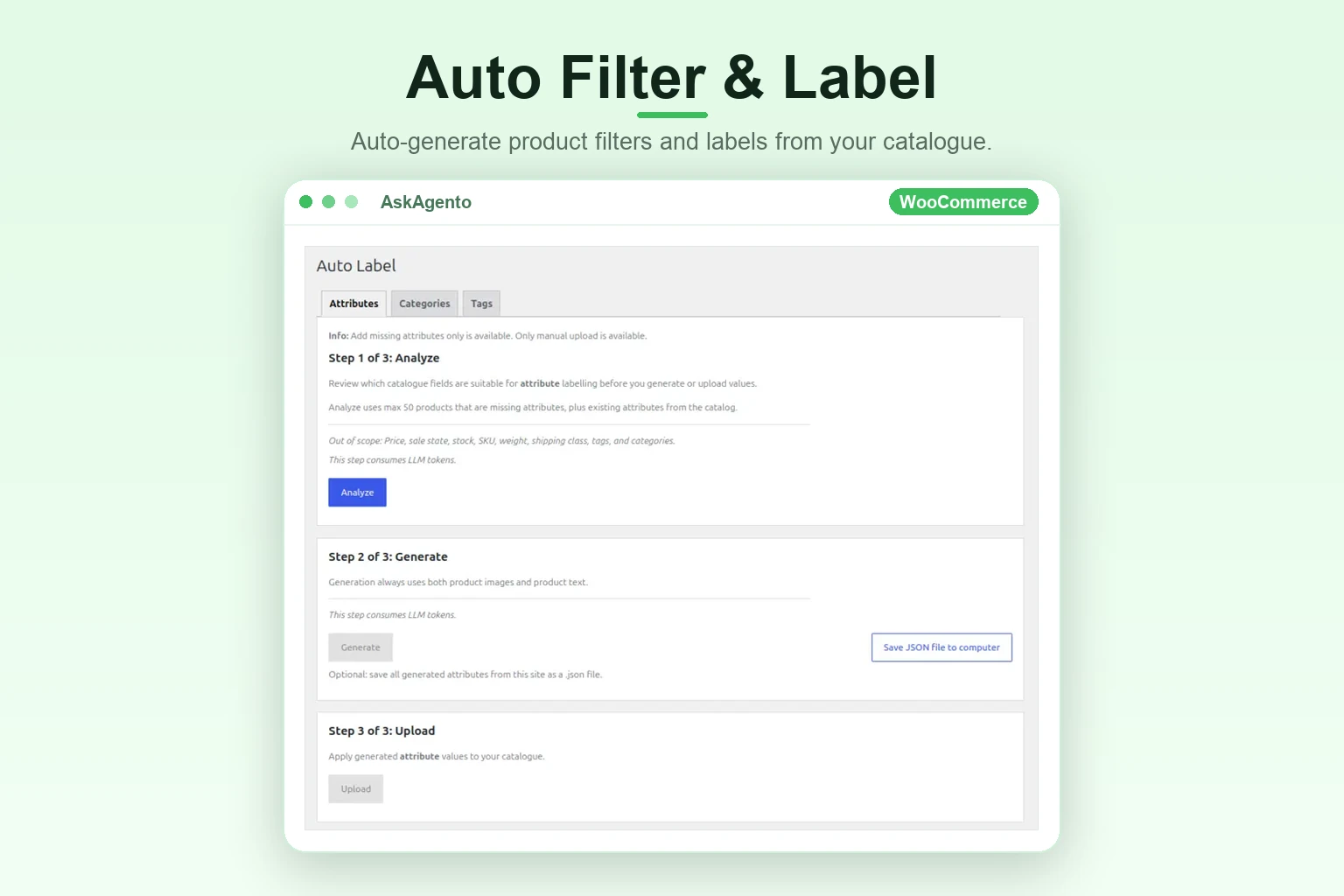
Auto Filter generates attribute filters from your catalogue so faceted navigation stays useful as your range grows. Auto Label proposes attributes, categories, and tags, then pushes them into WooCommerce with one-click workflows.
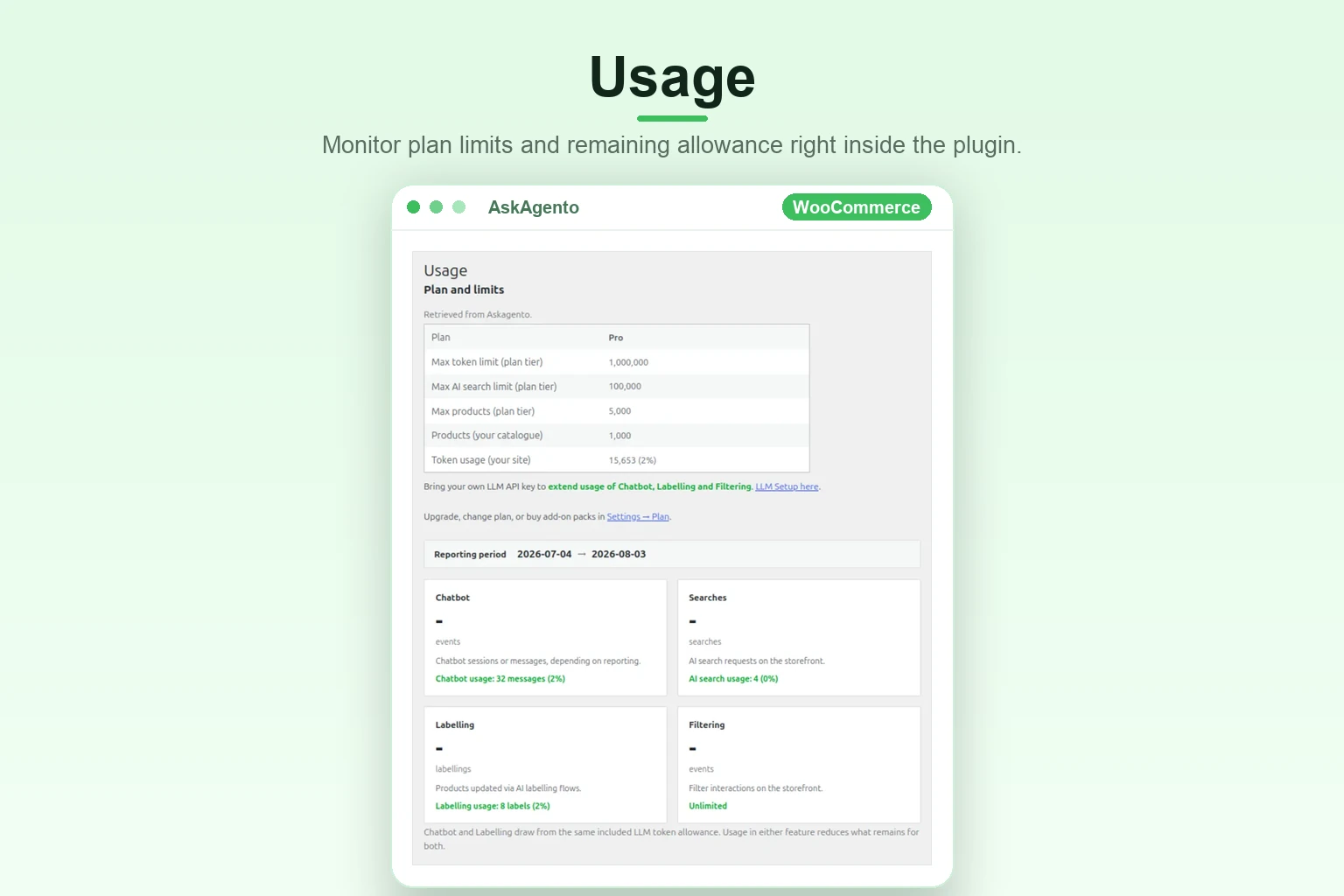
Monitor plan limits and remaining allowance from the plugin, aligned with the usage the API reports, so you always know where you stand before shoppers hit a cap. Two more tabs show the revenue AskAgento helped sell, compared with your plan cost, and the lost demand: what shoppers searched for or asked the chatbot without finding a match, so you know what to stock and which product pages to fix.
A chat bubble without a shared catalogue layer is guesswork. AskAgento is built the other way around.
5.0 average from 3 reviews · Read all reviews on WordPress.org
AskAgento completely replaced our basic search with a smart AI shopping assistant that actually understands natural customer queries. It helps buyers find the right products in seconds and answers questions about specs right in the chat, which visibly improved our conversion rate.
What makes it particularly interesting is that all these features use the same product catalogue data, rather than feeling like a collection of unrelated AI tools. The setup is also straightforward, and it’s great that the free plan gives access to the full feature set.
I’ve used the plugin and found it quite impressive. It’s easy to set up and use, works smoothly, and is quite useful. Overall, I would definitely recommend it.
Every plan includes every feature. What you pick is how large a catalogue AskAgento indexes for your shop and how much AI usage is included each month. High allowances are possible because AskAgento runs optimized in-house AI infrastructure.
For small shops
$0/mo
Forever free, no card
For growing stores
$8.40/mo
Billed monthly
For the full AI experience
$16.80/mo
Billed monthly
For large WooCommerce shops & API access
From $34.80/mo
Final price agreed with sales
No trial, no locked features. The plugin is fully functional on every plan. Cancel anytime. VAT not included.
Need more capacity on any plan? Stack packs anytime, or use your own LLM key for free.
+30,000 AI searches
$3
Extra catalogue text and image search capacity for busy storefronts. Available on every plan.
Ask about the Search pack+ ≈150 products labelled or
+ ≈600 chatbot messages
$3
One-time top-up of AskAgento-hosted LLM tokens for chatbot, labelling, and auto-filters.
Ask about the LLM packBring your own key (BYOK), included free on every plan. Add your OpenAI or OpenRouter API key in WordPress (AskAgento → Settings → BYOK Setup). Chatbot, labelling, and filters then bill your provider directly with no AskAgento markup.
Every plan runs every feature. AskAgento AI search is served on in-house infrastructure, so plans can include high monthly allowances at predictable pricing. Need more LLM capacity on any plan? Connect your own provider API key for free (OpenAI, OpenRouter), or buy search or hosted LLM packs.
| Plan | Products indexed | Included LLM / month | AI searches / month |
|---|---|---|---|
| Free | 100 | ≈40 chatbot messages or ≈10 products labelled |
500 |
| Basic | 500 | ≈1,000 chatbot messages or ≈250 products labelled |
50,000 |
| Pro | 2,000 | ≈2,000 chatbot messages or ≈500 products labelled |
100,000 |
| Enterprise | Agreed with sales (from $29/mo billed annually) | ||
Plan allowances are calculated based on typical real-world usage per chatbot message and per labelled product. Chatbot and labelling draw from the same shared monthly allowance. On any plan, add your own LLM provider API key in plugin settings for additional capacity, or buy hosted LLM packs.
For a live shop, yes: AskAgento syncs your catalogue from our servers, so the shop and its product images must be reachable on the internet, not behind a login wall or VPN-only access. For testing, a local shop (localhost, .local or .test names, or a private address) can be installed with up to 100 products: the plugin uploads the product images with the catalogue, and product changes are re-indexed when you reinstall.
Activation alone does not send your catalogue. On the WordPress Plugins screen you must confirm consent once:
Thanks for activating the plugin. Complete the step below once; your catalog is sent only after you click I Agree.
Consent required
To use AskAgento, agree to transferring product catalogue data from this shop to our servers.
I Agree Decline and Deactivate
After you click I Agree, the plugin shows an estimated installation time on the Plugins screen:
Thank you. Your consent is saved and your product catalogue is being synced for AI search.
Syncing 200 products. This installation usually takes about 4 minutes (~1.2 product/s).
You can stay on this page or continue working elsewhere; we will notify you when it is done.
Typical throughput is about 1.2 products/s — roughly 4 minutes for 200 products and 8 minutes for 400. Larger catalogues often sync a bit faster, around 1.6 products/s.
No. Heavy work such as catalogue indexing, semantic search, chat, and auto-labelling runs on AskAgento’s hosted infrastructure, not inside your WordPress request cycle.
The plugin exports your product catalogue on a schedule (daily or monthly by plan) via a background sync. It does not re-index or call an LLM on every product or checkout page.
We don’t store AI vectors in wp_postmeta or blow up wp_options. Local tables are limited to fast product filters (precomputed cache), separate from the cloud catalogue brain. AskAgento is compatible with WooCommerce HPOS.
The AskAgento WooCommerce plugin requires WordPress 6.5+, PHP 7.4+, and WooCommerce 8.0+.
Compatibility Overview
| Component | Minimum Version | Tested Versions | Status |
|---|---|---|---|
| WordPress | 6.5+ | 6.6, 6.7, 6.8, 6.9, 7.0, 7.1 | ✅ Fully supported |
| WooCommerce | 8.0+ | 9.6.2 → 10.8.1 | ✅ Fully supported |
| PHP | 7.4+ | — | ✅ Required baseline |
| HPOS (High-Performance Order Storage) | — | Enabled | ✅ Supported |
The plugin is fully compatible with WooCommerce High-Performance Order Storage (HPOS). Features such as sync, search, filters, chat, and recommendations operate directly on the product catalogue and do not rely on legacy order tables.
One WooCommerce plugin. Every shopper finds what they’re looking for.