OpenAI Agents
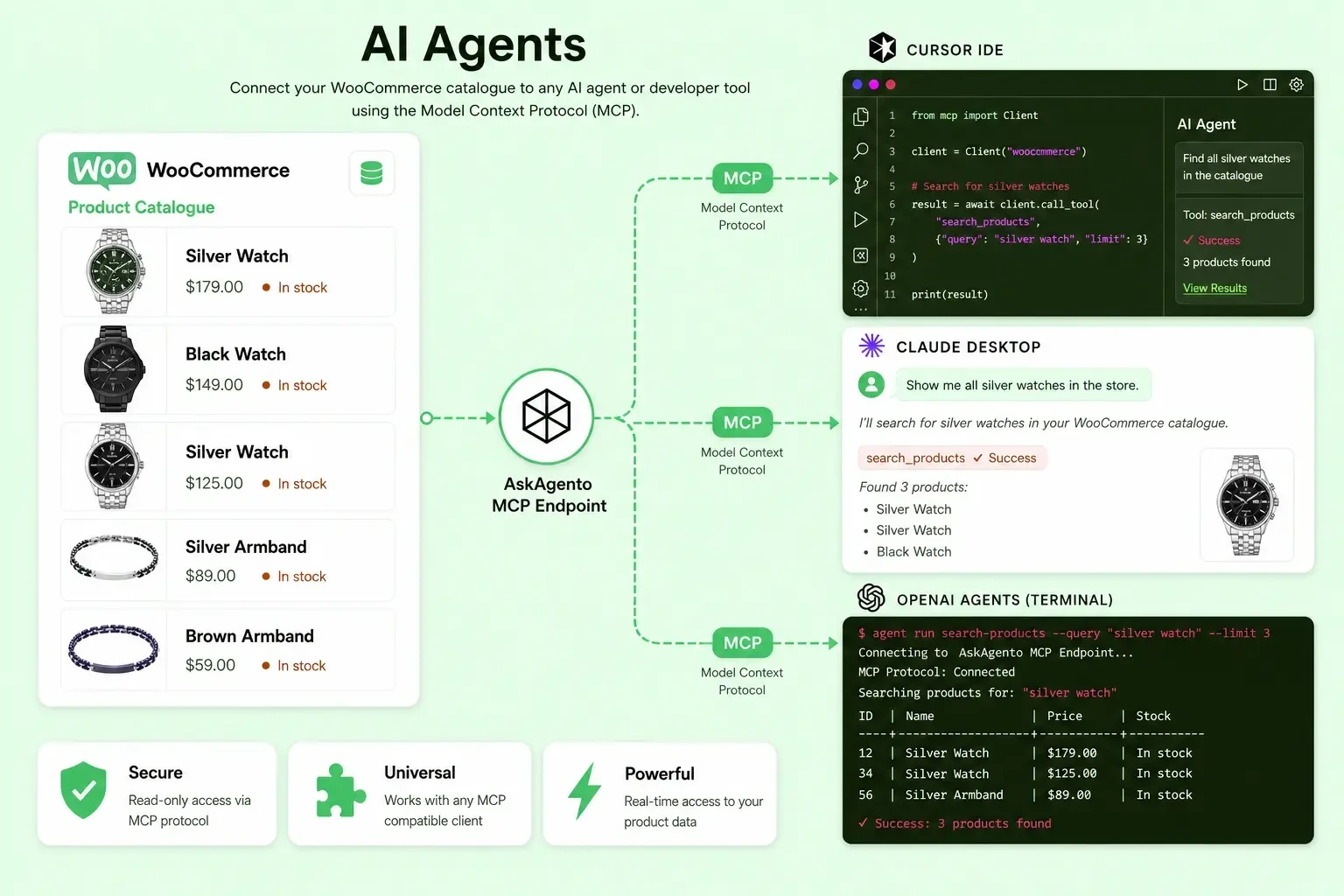
Use the OpenAI Agents SDK with your catalogue via hosted MCP or a direct Streamable HTTP connection. Runnable samples ship in the demo repo.
Environment variables
export OPENAI_API_KEY="sk-..."
export ASKAGENTO_SITE_ID="aa-your-site-id"
export ASKAGENTO_API_KEY="your-install-api-key"
Option 1: Hosted MCP tool (recommended)
OpenAI's API calls your MCP server remotely. This is the most compatible path for AskAgento's JSON-RPC over HTTP.
cd examples/openai
npm install
npm run hosted
import { Agent, hostedMcpTool, run } from '@openai/agents';

const siteId = process.env.ASKAGENTO_SITE_ID;
const apiKey = process.env.ASKAGENTO_API_KEY;

const agent = new Agent({
  name: 'Askagento Shop Assistant',
  instructions: 'Use Askagento MCP tools for catalogue questions. Do not invent SKUs.',
  tools: [
    hostedMcpTool({
      serverLabel: 'askagento-shop',
      serverUrl: 'https://api.askagento.com/v1/mcp',
      headers: {
        'X-Askagento-Site-Id': siteId,
        'X-Askagento-Api-Key': apiKey,
      },
    }),
  ],
});

const result = await run(
  agent,
  'Search for elegant watches under $300 and summarize the top 3 with links.',
);
console.log(result.finalOutput);
Docs: OpenAI Agents SDK: Hosted MCP tools
Option 2: Streamable HTTP (JavaScript)
cd examples/openai
npm install
npm run streamable
import { Agent, MCPServerStreamableHttp, run } from '@openai/agents';

const siteId = process.env.ASKAGENTO_SITE_ID;
const apiKey = process.env.ASKAGENTO_API_KEY;

const mcpServer = new MCPServerStreamableHttp({
  url: 'https://api.askagento.com/v1/mcp',
  name: 'Askagento Shop',
  requestInit: {
    headers: {
      'X-Askagento-Site-Id': siteId,
      'X-Askagento-Api-Key': apiKey,
    },
  },
  timeout: 60000,
});

await mcpServer.connect();

const agent = new Agent({
  name: 'Askagento Shop Assistant',
  instructions: 'Use MCP tools for all product questions.',
  mcpServers: [mcpServer],
});

try {
  const result = await run(agent, 'What silver watches do we have under $400?');
  console.log(result.finalOutput);
} finally {
  await mcpServer.close();
}
If connection fails with transport errors, use Option 1 (Hosted MCP) instead.
Option 3: Python (Streamable HTTP)
cd examples/openai
python3 -m venv .venv && source .venv/bin/activate
pip install openai-agents
python askagento_streamable.py
Docs: OpenAI Agents SDK: MCP (Python)